

SaaS UI/UX Design Agency for Startups: Product, Dashboard and Website
We design SaaS products people understand on the first login, dashboards they open every day, and the marketing site that sells both. Then the same team builds it.
A good fit if
- You are a founder with a working product that looks like a prototype
- Trial users sign up, poke around and never come back
- Your dashboard grew one feature at a time and now nobody can find anything
- You need a SaaS website that explains the product before the demo call
SaaS design is judged in the first five minutes of a trial and every working day after. We design for both moments, in Figma and in code, so nothing is lost between the mockup and the release.
Services
SaaS UI/UX design services, from first login to renewal
Product, dashboard and website designed together, so the promise on the site matches the product behind the login.
Product UX and user flows
Sign-up, onboarding, core tasks, settings and billing mapped as flows before any screen is drawn, so the product makes sense end to end.
UI design and design systems
A component library in Figma with tokens, states and spacing rules, built to match the React components developers will use.
Onboarding and activation
Empty states, setup checklists and first-run guidance that get a new user to the moment the product proves its worth.
UX audit of an existing product
A structured review of your live product against usability heuristics and your analytics, with a ranked list of fixes and redesigned screens for the worst problems.
Clickable prototypes
Prototypes you can put in front of users or investors before a line of production code is written.
Design handed to the same team for build
Our developers build what we design in Next.js, React Native or Flutter, so spacing, states and motion survive the handover.
Dashboards
SaaS dashboard UI/UX design people use every day
A dashboard is a work tool. It should answer the question a user opened it for, then get out of the way.
Information hierarchy
The numbers that drive a decision at the top, detail one click away, and everything else out of the default view.
Tables, filters and bulk actions
The unglamorous screens where users spend most of their time, designed for scanning, sorting and acting on many rows at once.
Charts that answer one question each
The right chart type for the data, readable labels, sensible defaults and no decoration that slows reading down.
Roles and permissions
Admins, members and viewers each see what they need, with clear signals when something is locked and why.
Empty, loading and error states
Every screen designed for no data, slow data and broken data, which is where most SaaS products feel unfinished.
Website
SaaS website design agency work: the site that sells the product
Your website has one job before the trial starts: make a busy buyer understand what you do and why it is worth trying.
Positioning in the first screen
A headline that says what the product does and for whom, in the words your buyers use, with proof close behind it.
Feature and use-case pages
Pages built around the jobs buyers need done, which also gives search engines one clear page per thing you want to rank for.
Pricing page design
Plans that are easy to compare, an obvious recommended option and answers to the objections that stall a purchase.
Built on Next.js for speed and SEO
The marketing site shares the product's design system, loads fast and renders as HTML that search engines read in full.
Sign-up and demo flows
Short forms, clear next steps and tracking on every step, so you can see where interested visitors drop out.
How it runs
How our SaaS UI/UX design agency works with startups
- 01
Discovery
Your users, the job the product does for them, your analytics and your competitors, summed up in a short brief we agree together.
- 02
Flows and wireframes
Key journeys mapped and wireframed, tested with a clickable prototype before visual design starts.
- 03
UI and design system
Visual design for every key screen and state, plus the component library developers build from.
- 04
Build or handover
Our team builds it, or we hand Figma files and specs to yours and stay on hand during development.
Cost
How much should a startup spend on a design agency?
Enough to get the core flows right, and no more than your stage justifies. A pre-launch MVP and a product with paying customers need different amounts of design. These are the things that set the scope. Tell us where you are and we will send a fixed quote.
Get a fixed quote→| What moves the price | Why |
|---|---|
| Number of core flows | Sign-up, onboarding and one main task is a focused project. A product with many roles, settings and integrations is a larger one. |
| New product or redesign | Designing from scratch needs discovery and testing. Redesigning a live product starts with a UX audit and existing data, which can narrow the work. |
| Design system depth | A small set of components for an MVP is quicker than a full library with tokens, documentation and every state covered. |
| Platforms | Web app only, or web plus iOS and Android apps, each with their own patterns and screen sizes. |
| Marketing website | Designing the SaaS website alongside the product adds pages, but shares the same design system and saves work later. |
| Design only or design and build | Handing files to your developers is one scope. Having our team build it as well removes the handover and is quoted as a whole. |
Live proof
Product design we have shipped.
Tools we use for this
- Figma
- FigJam
- Design tokens
- React
- Next.js
- React Native
- Flutter
- Tailwind CSS
- Storybook
- GSAP
- Google Analytics 4
- Microsoft Clarity
FAQ
SaaS UI/UX design agency questions
SaaS product design is the work of shaping how a software-as-a-service product looks and behaves, from the first sign-up screen to the settings page. It covers user research, flows, information architecture, interface design, design systems and the details that keep people subscribed, such as onboarding, empty states and billing. Unlike a one-off website, a SaaS product is used every day by the same people, so good SaaS design focuses on how fast users can get their work done, not only on how the screens look.
A UI/UX design company works out how a digital product should work and then how it should look. UX covers research, user flows, structure, wireframes and testing, so people can complete their tasks without confusion. UI covers the visual layer: layout, type, colour, components, icons and motion, collected into a design system. Many agencies stop at Figma files. At Kavion the same team also builds the design in code, which removes the gap where good designs usually lose detail.
Start with their SaaS work: ask to see real product screens, not only marketing sites, and ask what changed for the business afterwards. Check who will do the work and how senior they are. Ask how they run discovery, how they test designs before build, and how files are handed to developers. Agree on deliverables in writing, such as flows, prototypes, a design system and specs. A small paid first phase, such as a UX audit or one core flow, is a sensible way to test the fit.
A startup-friendly design agency works at the speed and budget of a startup without cutting the thinking. That means small senior teams instead of layers of account managers, scoped phases you can stop after, design focused on what you need for the next milestone rather than a full system on day one, and comfort with changing direction when user feedback says so. It also helps when the agency can build what it designs, so a small team does not have to manage two vendors.
Spend in line with the stage you are at. Before launch, pay for design on the flows that prove your idea, such as sign-up, onboarding and the core task, and keep the rest simple. After you have paying users, design investment usually shifts to activation, retention and a fuller design system. The real cost drivers are the number of flows, platforms, design system depth and whether the agency also builds it. We scope each phase separately and give a fixed quote for each.
A UX audit is a structured review of an existing product or website to find where users get stuck. A good UX audit checklist covers navigation and information architecture, onboarding, forms and input, feedback and error messages, consistency of components, accessibility basics such as contrast and keyboard use, mobile behaviour, and performance. We combine that review with your analytics and session recordings where available, then deliver a ranked list of problems, the evidence for each, and redesigned screens for the most costly ones.
Look for an agency that understands how SaaS is bought: positioning, use-case pages, pricing pages, trust signals and sign-up flows, not only attractive visuals. Ask how they handle SEO, because the marketing site is often your main source of trials. Check that they can build on a fast, modern stack and that your team can edit pages afterwards. Most of all, look for live SaaS sites in their portfolio and test them on your own phone. Speed and clarity show up quickly.
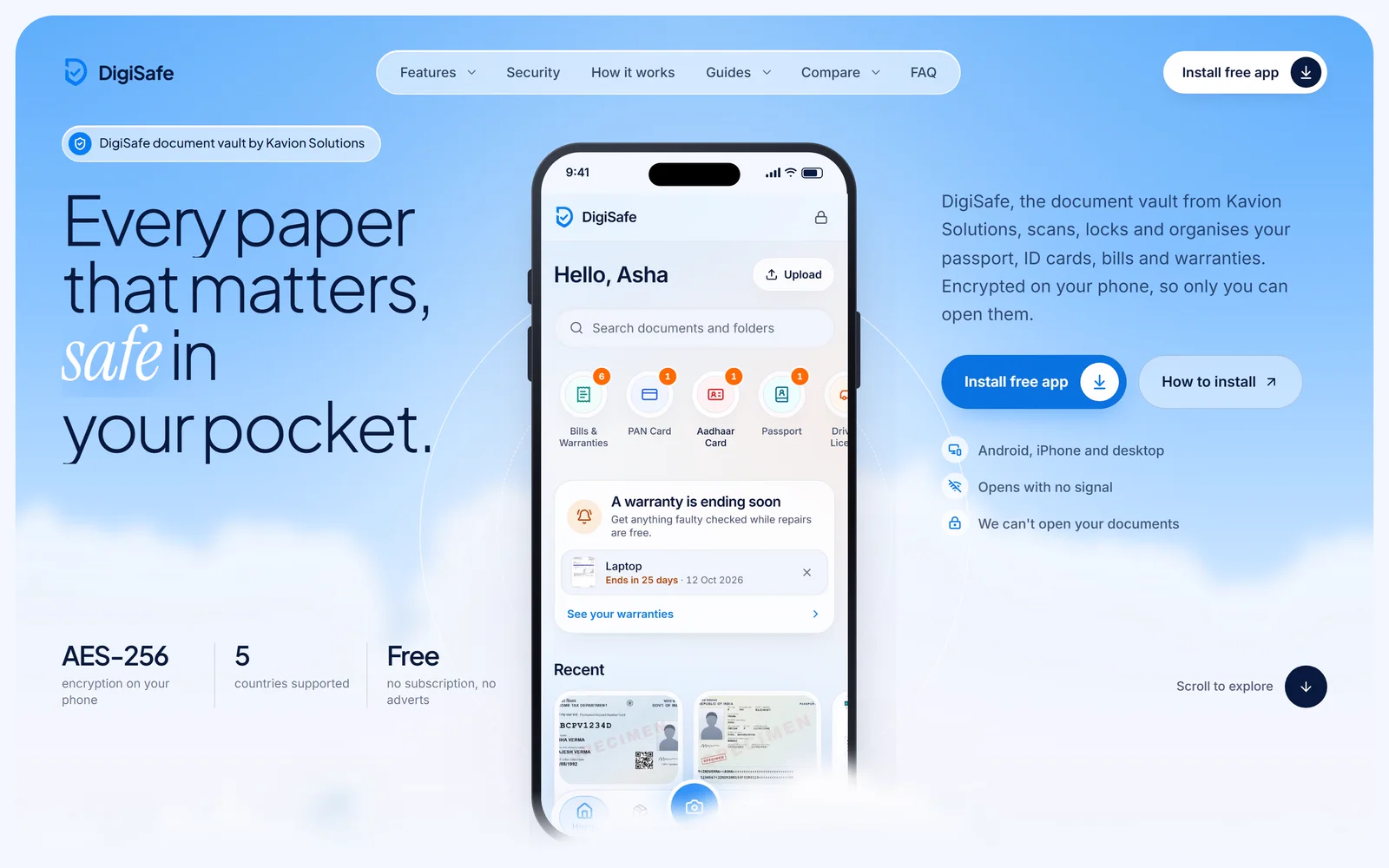
Look for real products rather than concept shots, and for complete flows rather than single hero screens. Good portfolio pieces show the problem, the decisions made and the shipped result. Our clearest example is DigiSafe, a free end-to-end encrypted document vault app that we designed and built as our own product. It installs on Android, iPhone and desktop and includes a document scanner, a number reader, expiring watermarked share links, offline use and a single PIN. You can try it yourself.
Yes, and we recommend it. The simplest way is a small paid first phase with a clear deliverable, such as a UX audit of your current product, a redesign of one core flow, or a clickable prototype of a new feature. You see how we think, how we communicate and how fast we move, and you keep the work either way. If it goes well, the next phase builds on it. If not, you have lost very little and gained a useful piece of design.
Both. Our team designs in Figma and builds in Next.js, React, React Native and Flutter, so the product you approve is the product that ships, with the same spacing, states and motion. The handover from designer to developer is where many products lose their polish, and keeping both in one team removes that step. If you already have developers, we hand over a design system, specs and prototypes, and stay available while they build.